From Restoration to Synthesis UnClip FSVR and G1Emu Redefine Audio Tech

Bad audio used to stay bad. A clipped vocal, a crushed field recording, or a tone from a rare synth often meant compromise. New tools are changing that. Leit Audio’s UnClip, Musica.Studio’s FSVR, and Animatek’s G1-Emu show where audio software is heading: smarter repair, deeper synthesis, and better access to machines that are hard to own or maintain.
UnClip shows how audio repair is getting more automatic
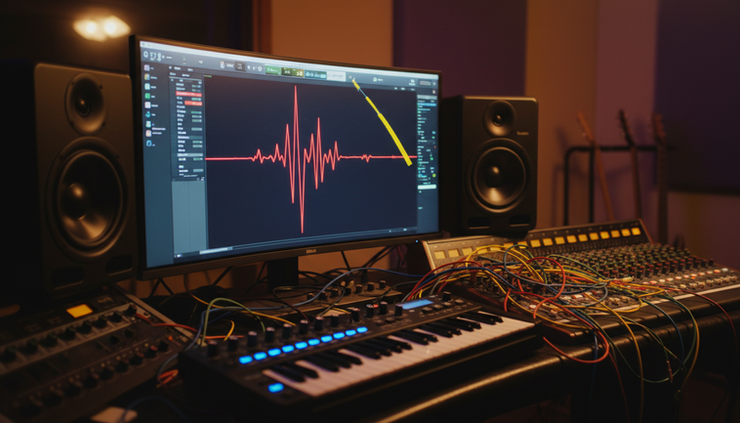
Clipping is one of the most common audio problems. It happens when a signal gets too loud for the recorder, mixer, converter, or plug-in handling it. The top and bottom of the waveform get cut flat. That creates harsh distortion.
Hard clipping is worse than simple loudness. Once the shape is flattened, part of the original sound is missing. A singer’s peak, a snare hit, or a guitar transient may turn into a squared-off block. The result can sound brittle, spitty, or aggressive in the wrong way.
Leit Audio’s UnClip is built for automatic audio restoration. The goal is clear. Find clipped sections, work out what the missing curve likely looked like, and rebuild it with clean level control.
That matters because many restoration tools ask the user to do too much. A skilled engineer can set thresholds, draw curves, and compare passes. Yet not every project has that time. Podcast cleanup, live concert repair, archival transfer, sample pack recovery, and overloaded stems all benefit from faster decisions.
UnClip’s appeal is that it treats clipping as a shape problem, not only a volume problem.
Geometric waveform analysis treats sound as a curve
A waveform is a visual map of pressure changes over time. When audio clips, the natural curve turns into a flat edge. UnClip uses geometric waveform analysis to read the shape around that damaged area.
In plain terms, it studies the slope before the clipped part and the slope after it. It looks at how the waveform was moving, where it stopped, and where it resumed. Then it estimates a more natural curve between those points.
This is different from simply turning the file down. Lowering the level makes the clipped audio quieter, but the flat tops stay flat. The distortion remains. UnClip aims to rebuild the missing peak.
A simple way to picture it:
Damaged audio | Repaired audio |
Peaks look flat, like they were shaved off. | Peaks regain a curved shape. |
Distortion stays even if the file is quieter. | Harshness can be reduced at the source. |
Lost samples are treated as missing structure. | New sample values are estimated from the surrounding waveform. |
This approach helps most when the clipped section still has enough context around it. If a long block of audio is destroyed, no tool can know the exact original sound. But when the clipped area is brief, the surrounding waveform carries useful clues.
Double-precision sample interpolation helps preserve detail
UnClip also highlights double-precision sample interpolation. That phrase sounds dense, but the idea is simple.
Digital audio is made of samples. Each sample is a tiny measurement of the sound at a moment in time. When clipped samples are rebuilt, the software must calculate new values. Double precision means the software uses a higher-accuracy number format during those calculations.
Why care? Small errors can add up. In repair work, that can mean rough edges, added grit, or phase problems. Higher precision gives the tool more room to calculate smooth changes.
Interpolation means filling in missing or damaged points between known points. In UnClip’s case, the known points are the healthy parts of the waveform around the clipped section. The damaged points are the flat parts that need repair.
For music, that can help preserve snap and tone. For speech, it can make loud consonants less painful. For field recordings, it can reduce the “crack” caused by sudden level overload.
Dynamic headroom management keeps the repair from clipping again
Repairing a waveform can create taller peaks. That is the point. But it creates a new problem. If the repaired peak rises too high, the output can clip again.
UnClip addresses this with dynamic headroom management. Headroom is the safe space between the current signal level and the maximum level the system can handle. Dynamic management means that space changes as needed during processing.
Instead of applying one fixed gain move to the whole file, the tool can manage peaks as they are restored. The result should be a safer output level with less risk of new damage.
That is useful in real work. A restored vocal should not overload the next plug-in. A repaired drum stem should not hit the mix bus too hard. A podcast file should not pass quality control only to distort after export.
FSVR brings the Yamaha FS1R concept back into reach
On the synthesis side, Musica.Studio’s FSVR focuses on a very different problem: access.
The Yamaha FS1R is a cult favorite. It is known for complex frequency modulation synthesis and formant-style sound shaping. Frequency modulation, often shortened to FM, creates sound by using one waveform to change another. It can produce glassy keys, metallic bells, deep bass, evolving pads, and tones that do not behave like standard subtractive synth sounds.
The FS1R is also known for being difficult to program deeply. Hardware menu systems from that era could be powerful but slow. Many users loved the sound more than the workflow.
FSVR emulates the Yamaha FS1R synthesizer, bringing its core ideas into a software setting. The value is not only nostalgia. It gives modern producers a path to sounds that still feel distinct.
The 8-operator design increases movement and complexity
Many classic FM synths use a set of operators. An operator is a building block that can act like a sound source, a sound shaper, or both. One operator can modulate another, which means it changes the other operator’s tone over time.
FSVR’s 8-operator FM architecture gives sound designers more room to build complex tones. More operators mean more layers of motion. A patch can start smooth, gain bite, shift into vowel-like movement, and settle into a clean tail.
Think of each operator as a small voice in a larger system. Some provide the main pitch. Some add brightness. Others create motion, grit, or harmonic detail. With eight of them, the structure can get detailed fast.
This is why FM can sound so alive. It does not only filter a rich sound down. It builds harmonic content from relationships between components.
Good examples of where this matters include:
Digital electric piano tones with moving overtones
Bass sounds that cut through a dense mix
Bell and mallet sounds with sharp attacks
Pads with glassy motion
Effects that sit between voice, metal, and wind
Formant shaping adds a vocal character
FSVR also centers on formant-shaping synthesis. A formant is a resonant part of a sound that helps define its character. Human vowels are shaped by formants. That is why “ah,” “ee,” and “oh” sound different even when sung at the same pitch.
A synth that can shape formants can create tones that feel vocal without using recorded speech. It can also create animated textures that shift like a mouth changing shape.
This is one reason the FS1R idea remains interesting. It does not just make bright digital sounds. It can make sounds that seem to pronounce, breathe, or morph.
For composers, that opens up expressive pads and hybrid voices. For sound designers, it helps build creature sounds, artificial choirs, and talking textures. For electronic producers, it offers movement that can carry a track without filling every gap with effects.
FSVR takes a famously deep instrument and places it in a modern workflow. That alone changes how often people may use it. Fast recall, screen-based editing, and direct automation can make difficult synthesis feel practical.
G1-Emu preserves the Nord Modular G1 method
Animatek’s G1-Emu looks at another classic digital instrument: the Nord Modular G1.
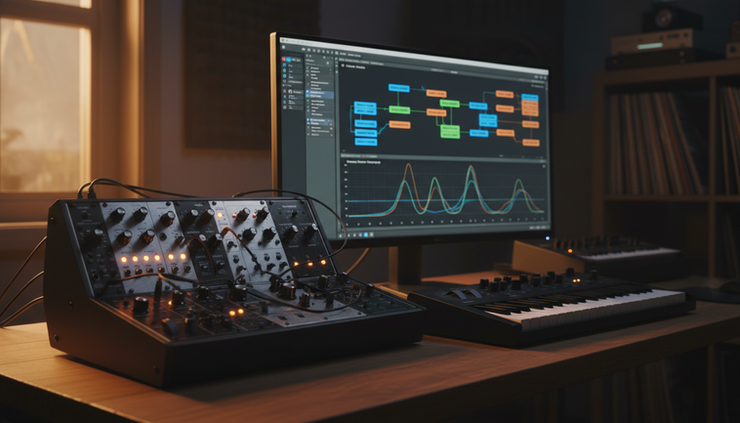
The Nord Modular G1 was different because it joined hardware sound with software patch design. Users built patches on a computer by connecting virtual modules. The hardware then played those patches. That made it feel like a modular synth without needing a wall of physical modules.
G1-Emu emulates the Nord Modular G1, with special focus on executing the original signal-processing code. Digital signal processing means the math that creates and changes sound inside the instrument.
That detail matters. Many emulations copy the broad behavior of a machine. They model the sound from the outside. Running original code is a different goal. It aims to preserve the internal behavior more directly.
Original signal-processing code can protect the feel
A synth is more than a list of features. Timing, control response, module behavior, and small limits all shape how it feels.
When an emulator can execute original signal-processing code, it can capture details that are easy to miss. These can include how filters respond to changing levels, how envelopes step through values, how modulation updates, and how patch connections interact.
That does not mean every sound becomes identical in every setup. Host systems, audio settings, and output levels still matter. But original code execution can keep the instrument closer to the source.
For musicians with old Nord Modular G1 patches, this is important. Patches are not only presets. They can be personal systems. A single patch may contain a custom sequencer, a performance controller, a drum synth, and effects routing.
G1-Emu can help keep that kind of work usable.
Virtual patching keeps modular design fast
Virtual patching is the other key part. Instead of plugging real cables, users connect modules on screen. This makes experimentation fast.
You can connect an oscillator to a filter, route an envelope to pitch, send random movement into a delay, or build a custom drum voice from scratch. The method rewards curiosity. It also teaches synthesis clearly because the signal path is visible.
G1-Emu matters because it keeps that design style alive. Modern modular software is common now, but the Nord Modular G1 had its own logic. Its module set, limits, and workflow shaped the results.
Those limits can be useful. A defined system often pushes faster decisions than an endless plug-in folder. You build with what the machine gives you. That can lead to strong, focused patches.
Musicians may use G1-Emu for:
Reopening old patch libraries
Building experimental instruments
Creating modular effects chains
Studying classic digital modular design
Performing without aging hardware
Why these tools point in the same direction
UnClip, FSVR, and G1-Emu serve different jobs. One repairs damaged audio. One revives a deep digital synth voice. One preserves a modular instrument and its patching system.
They still share a pattern. Each one uses software to recover value that used to be locked away.
UnClip recovers audio that seemed damaged. FSVR recovers access to a rare style of synthesis. G1-Emu recovers a modular workflow tied to aging hardware.
This is where modern audio tools are becoming more useful. They are not only adding more presets or louder processing. They are solving real problems:
Bad recordings need cleaner repair.
Rare instruments need practical access.
Older digital systems need preservation.
Complex synthesis needs clearer control.
For professionals, that means fewer dead ends. A clipped take may be usable. A hard-to-find synth voice may be available in a session. An old patch may return to a current project.
For audio enthusiasts, it means the history of digital sound becomes easier to study and use. These tools turn older ideas into active instruments again.

Practical takeaways for producers and engineers
Each tool fits a different part of the workflow.
Use UnClip when the source has obvious clipped peaks or harsh overload. It is best treated as an early repair step. Fix the damage before heavy equalization, compression, or limiting. That gives later processing cleaner material.
Use FSVR when a track needs complex digital tone. It fits well when standard analog-style synths feel too familiar. Try it for moving pads, sharp bass, mallet tones, and voice-like textures.
Use G1-Emu when patch design matters as much as the end sound. It suits musicians who like building systems, not only choosing presets. It also helps preserve work made for the Nord Modular G1 approach.
A simple session order could look like this:
Repair clipped recordings with UnClip.
Build new harmonic parts with FSVR.
Create custom effects or modular sequences with G1-Emu.
Mix with enough headroom so the final output stays clean.
That last point matters. Restoration and synthesis both benefit from level discipline. Clean gain staging prevents fresh distortion. It also keeps plug-ins working as expected.
FAQ
Can UnClip restore any clipped recording?
No tool can recreate information with perfect certainty. UnClip can help most when clipping is brief and the surrounding waveform gives enough clues. Severe or long clipping may still sound damaged.
What makes FSVR different from a basic FM synth?
FSVR is based on the Yamaha FS1R concept. Its 8-operator setup and formant-shaping tools allow more complex, vocal-like, and evolving tones than many simpler frequency modulation synths.
Why does G1-Emu running original signal-processing code matter?
It can preserve more of the Nord Modular G1’s behavior. That includes how modules respond, connect, and change over time. This helps old patches and workflows feel closer to the original instrument.
Are these tools only for experts?
No. UnClip is useful for anyone fixing damaged audio. FSVR and G1-Emu reward deeper learning, but presets, visual patching, and modern software workflows can make them approachable.
Should restoration happen before mixing?
Yes. Repair clipped audio early. Once distortion passes through compression, equalization, and effects, it can become harder to fix.
The next wave of audio software is about recovery and control
The best part of these tools is practical. UnClip gives damaged recordings a better chance. FSVR makes a rare digital synthesis style easier to use. G1-Emu helps preserve a modular classic without relying only on old hardware.
Together, they show a clear direction. Audio software is getting better at understanding sound, rebuilding sound, and keeping important instruments alive. For anyone who records, mixes, designs, or experiments, that is a useful shift.

Comments