13X Audio Aurora EQFree 24-Band Dynamic Processor: Phase Modes, Stereo Imaging, and Precision Control

A static equalizer can fix tone. A dynamic processor can fix tone only when it becomes a problem. That is the real appeal of the 13X Audio Aurora EQFree 24-Band Dynamic Processor. It combines detailed equalization, band-by-band dynamics, flexible routing, phase choices, stereo widening, and metering in one focused audio tool.
For mixing, it can control harsh vocals without dulling the whole take. For live tracking, it can shape sources while keeping delay low. For mastering, it can make precise tonal and stereo moves while keeping mono playback in check.
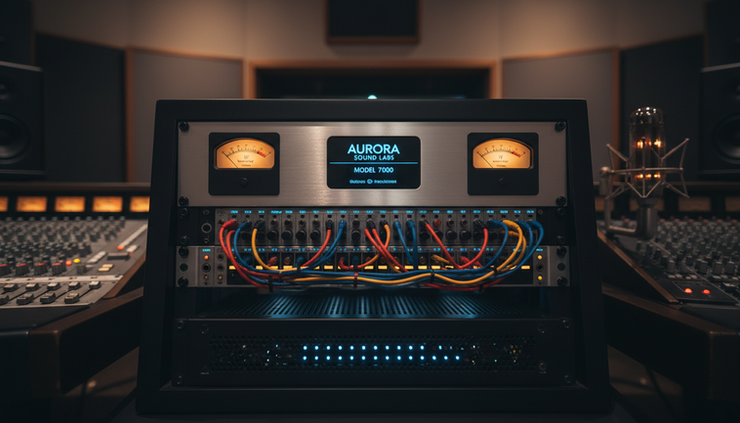
The 24 bands work as separate dynamic processors
The core feature is simple to state and powerful in use. Aurora EQFree gives each of its 24 parametric bands independent dynamic behavior.
A parametric band lets the user choose three main things:
The target frequency
The amount of boost or cut
The width of the affected range
A dynamic band adds one more layer. It responds to level. That means a band can change its gain only when the signal crosses a chosen level. This makes the processor more selective than a standard equalizer.
A static cut at 4 kHz reduces 4 kHz all the time. A dynamic cut at 4 kHz reduces that range only when a vocal gets sharp, a snare cracks too hard, or a guitar pick attack jumps forward. The tone stays open when there is no problem.
Aurora EQFree’s band independence matters. Each band can behave like its own small processor. One band can catch low-end buildup. Another can lift quiet air at the top. Another can gate rumble. Another can expand dull transients.
That design makes the 13X Audio Aurora EQFree 24-Band Dynamic Processor more than a dense equalizer. It acts like a detailed control surface for tone and movement.
Downward compression controls peaks
Downward compression reduces a band when that frequency range gets too loud. This is useful for common problems:
Vocal harshness around the upper midrange
Snare ring in a narrow range
Bass notes that bloom on certain pitches
Cymbal bite that only appears on hard hits
The advantage is restraint. The processor does not need to darken the entire signal. It only reacts when the target range crosses the set level.
For mastering, downward compression can tame a narrow resonance without leaving a permanent hole in the mix. For live sound, it can control feedback-prone zones while preserving clarity.
Upward compression brings quiet detail forward
Upward compression raises a band when that frequency range falls below a target level. This is different from boosting a band at all times.
A static high-frequency boost can add hiss or make bright moments too bright. Upward compression can lift the quiet detail while leaving louder passages alone. On vocals, it can bring breath and presence forward. On acoustic guitar, it can recover soft string texture. On a stereo mix, it can add low-level polish without pushing loud sections over the edge.
This tool is useful when a source has good tone but uneven detail.
Expansion increases contrast
Expansion does the opposite of compression. It makes level differences larger. In a selected band, expansion can help restore punch or reduce masked room tone.
For example, a kick drum may have enough low end but lack click. A narrow band in the attack range can expand when hits arrive. That adds definition without boosting bleed between hits.
On a full mix, expansion needs care. Used lightly, it can add motion. Used too hard, it can make the tone jump. The value is that Aurora EQFree allows expansion per band, not across the whole signal.
Gating cleans unwanted frequency zones
Gating turns a band down when its level falls below a threshold. In plain terms, it can reduce a frequency range when nothing useful is happening there.
This can help with:
Low-frequency stage rumble
Amp hum
Drum bleed in close microphones
Noisy high bands during quiet sections
A full-band gate can sound obvious. A frequency-specific gate can be cleaner. It leaves the rest of the signal open while reducing only the unwanted range.

Three phase modes serve different jobs
Equalization changes level by frequency. It can also affect phase, which means the timing relationship between parts of the waveform. Phase behavior shapes punch, depth, stereo width, and mono playback.
Aurora EQFree includes three selectable phase engines. The point is not to chase one perfect mode. The point is to pick the right behavior for the job.
Low-delay phase behavior helps live tracking
During live tracking, delay matters. A singer monitoring through headphones can feel delay even when it is short. A drummer can lose timing if the processing path feels slow.
A low-delay phase mode is the practical choice here. It keeps the signal responsive. This matters when Aurora EQFree sits on a live vocal, drum bus, guitar input, or monitor path.
The tradeoff is that low-delay equalization can shift phase more than slower mastering-style modes. That is not always bad. Many classic equalizers work this way. The sound can feel direct and musical. The key is to listen for changes in transient impact and stereo placement.
Natural phase behavior fits mixing
A second phase option can serve the middle ground. This type of mode is often useful while mixing, where the processor needs good tone, stable imaging, and manageable delay.
Use this kind of phase behavior when shaping buses, parallel chains, and layered sounds. It helps when multiple microphones capture the same source, such as drums, piano, guitar cabinets, or live room setups.
On multi-microphone material, phase choices can change the low end fast. A kick inside microphone and a kick outside microphone may sound solid in one mode and thinner in another. The right mode is the one that supports the source.
Mastering-focused phase behavior protects final tone
Mastering often allows more processing delay because the work is not happening in a live monitor path. That opens the door to phase behavior designed for precision.
A mastering-focused phase engine can help when making fine broad moves across a full mix. It can reduce unwanted tonal side effects and preserve the relationship between left and right channels.
This matters when a half decibel can change the emotional balance of a master. It also matters when the track must translate to earbuds, club systems, car speakers, smart speakers, and mono playback.
The best practice is direct comparison. Match loudness when switching modes. Louder almost always sounds better at first. Listen for punch, vocal focus, low-end weight, and stereo stability.
Per-band routing makes processing more exact
A powerful dynamic equalizer needs routing control. Aurora EQFree supports per-band channel routing, which lets each band decide where it acts instead of forcing every band onto the same signal path.
This is useful because real mixes are not symmetrical. A hi-hat may pull left. A guitar resonance may sit right. A vocal may live in the center. A stereo synth may spread wide but carry mud in the middle.
With per-band routing, one band can target the center image while another works on the sides. Another can act on only one side of a stereo source. This avoids broad processing that fixes one issue while creating another.
Common use cases include:
Reducing low-mid buildup in the center without narrowing the sides
Taming a bright cymbal on one side of a drum overhead pair
Controlling vocal harshness in the middle of a full mix
Cleaning stereo ambience without touching the lead element
Shaping side information while leaving bass and kick stable
This level of control is valuable in mastering. It is also useful in mixing when the arrangement is dense and small moves need to stay local.
The external sidechain detector gives one signal control over another
An external sidechain detector lets one signal trigger processing on another. A detector is the part of a processor that listens for level changes and tells the gain section when to move.
A classic example is kick and bass. The kick can feed the sidechain detector while Aurora EQFree processes a narrow low-frequency band on the bass. When the kick hits, that bass range dips. When the kick stops, the bass returns. The result can be cleaner low end without turning down the whole bass track.
Other examples work just as well:
A vocal can trigger a small cut in guitars around the vocal presence range.
A snare can trigger control in overhead harshness.
A lead synth can make room in a pad only when both occupy the same band.
A dialogue track can control low-mid masking in background music.
The benefit is precision. The processor reacts to the relationship between sources, not just the level of the track being processed.
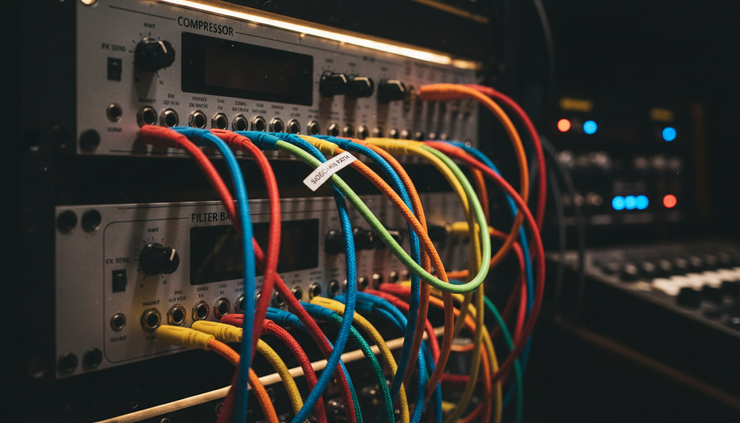
Wave Mastering WIDENER v1 adds width with bass discipline
Stereo widening can be useful. It can also damage a mix. A wide master that collapses in mono is not finished. A wide low end can sound impressive on headphones and weak on club systems.
Aurora EQFree introduces Wave Mastering WIDENER v1 for mastering-grade stereo imaging. Its key ideas are psychoacoustic decorrelation and monophonic bass management.
Psychoacoustic decorrelation creates width without simple level tricks
Psychoacoustic decorrelation uses small differences between left and right signals to create a wider impression. Instead of only turning up the side signal, it changes how the ear reads space.
The word psychoacoustic means it relates to how hearing works. The brain judges width through tiny timing, tone, and level differences between the ears. A widening tool can use those cues to make a signal feel larger.
This can help with:
Stereo pads that need size
Background vocals that need separation
Mixes that feel narrow after limiting
Ambient layers that should wrap around the center
The center still matters. Lead vocal, bass, kick, snare, and core melodic parts often need to stay focused. A widening tool should support the mix, not pull attention away from it.
Monophonic bass management keeps the low end stable
Monophonic bass management means the lowest part of the mix stays centered. This is a core mastering practice.
Low frequencies carry power. They also cause the most trouble when left and right channels disagree. If the bass is too wide, mono playback can cancel part of it. Vinyl-style playback systems, club systems, phone speakers, and some public address systems can expose that weakness.
Keeping bass centered helps the track feel solid. It also leaves width for higher-frequency content, where stereo spread is easier to manage.
Wave Mastering WIDENER v1 fits best when used with metering. Width is a technical and creative choice. The meters confirm whether that choice will survive real playback.
Real-time phase and goniometer metering protect mono compatibility
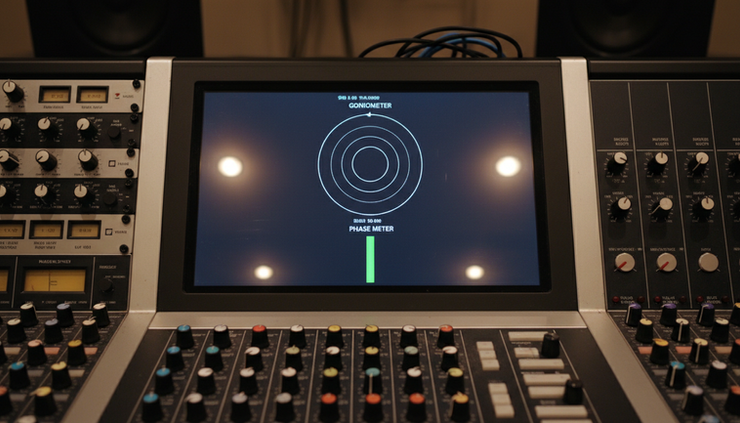
Metering matters because stereo problems are not always obvious at first. A mix can sound wide in headphones and still fail in mono. That is why integrated phase and goniometer metering is useful inside the same processor.
A phase meter shows the relationship between the left and right channels. When the channels support each other, mono playback tends to hold together. When they fight each other, some parts can cancel.
A goniometer gives a visual shape of the stereo field. It shows whether the signal is mostly centered, wide, balanced, or unstable. It can reveal problems that ears miss during long sessions.
Use these meters while making width decisions. Do not wait until the final export.
Good checks include:
Switch between stereo and mono often.
Watch the phase meter during heavy widening.
Check low-frequency content for centered behavior.
Listen to vocals and bass after widening bright elements.
Compare loudness fairly before accepting a wider setting.
Mono compatibility is not only a broadcast concern. Many real playback systems sum parts of the signal. Phones, smart speakers, venue systems, and some streaming contexts can reduce stereo separation. A mix that survives mono will translate better.
Where Aurora EQFree fits in a production chain
Aurora EQFree can serve different roles depending on the session.
During tracking, it can control problem areas before they distract the performer. Low-delay phase behavior matters most here. Use lighter settings. Avoid printing extreme moves unless the problem is clear.
During mixing, it can fix masking between instruments. The external sidechain detector and per-band routing are key. Use narrow moves for resonances and broader moves for tone shaping.
During mastering, it can polish a finished mix with careful dynamic control, phase selection, stereo imaging, and real-time metering. This is where small moves matter most. A half-step too much widening or compression can reduce translation.
A practical mastering chain might use Aurora EQFree for:
Small dynamic cuts on harsh or muddy bands
Gentle upward control for low-level detail
Center and side shaping through per-band routing
Stereo width with bass kept centered
Phase and goniometer checks before final limiting
The result is not a louder master by itself. It is a cleaner, more controlled source for the rest of the chain.
Common mistakes to avoid
A processor this flexible can solve hard problems. It can also invite overuse.
Avoid using all 24 bands just because they are available. Start with the problem. Add a band only when it has a job.
Avoid over-widening. Width can impress for a few seconds and fatigue the listener over a full track. Keep the vocal center strong. Keep the bass stable.
Avoid ignoring phase mode. If a sound loses punch after equalization, try another phase engine before changing the whole settings set.
Avoid sidechain moves that pump in an obvious way unless that is the goal. A precise sidechain should create space without drawing attention.
Most of all, avoid mixing with the eyes only. The meters guide decisions. The speakers confirm them.
FAQ
What makes a 24-band dynamic equalizer different from a normal equalizer?
A normal equalizer boosts or cuts selected frequencies all the time. A dynamic equalizer changes those boosts or cuts based on signal level. With 24 bands, many frequency areas can react independently.
When should upward compression be used?
Use upward compression when quiet detail needs to come forward without making loud moments too bright or too heavy. It works well for vocal air, acoustic texture, and subtle mix detail.
Why do phase modes matter?
Phase modes affect timing relationships inside the signal. That can change punch, stereo focus, and mono playback. Low-delay modes help tracking. Mastering-focused modes help final tone work when delay is less of a concern.
What does an external sidechain detector do?
It lets one sound control processing on another sound. For example, a kick drum can trigger a narrow cut in the bass only when the kick hits.
Why is monophonic bass management important?
Low bass needs stability. If bass is too wide, it can weaken or cancel when played in mono. Keeping the lowest frequencies centered helps the mix translate better.
The takeaway
The strength of Aurora EQFree is control. Each band can shape tone and dynamics on its own. Each processing choice can target the right channel path. Each phase mode can match the job. The widener adds space without losing sight of low-end stability. The meters keep the result honest.
Used with restraint, it can handle surgical repair, creative movement, and mastering polish in one processor. The best results will come from small moves, clear goals, and constant mono checks.
Comments