Audacity 4 and the Future of DAWs Open Source Modernization in Professional Audio

A modern recording session can fail for reasons that have nothing to do with the performance. A vocal take can click because the computer cannot deliver sound fast enough. A mix can become hard to revise because effects were permanently applied too early. A large project can slow down because the screen, plug-ins, and audio engine are all fighting for the same resources.
That is why the design of a digital audio workstation matters. The best tools do more than record sound. They protect creative decisions, keep playback stable, and let engineers change a mix without damaging the original recording.
The September 2026 launch of Audacity 4 made that point clear. After roughly 25 years as one of the most recognized open-source audio editors, Audacity moved toward a more modern production model built around real-time processing, safer project handling, and cleaner separation between the parts of the program that draw the screen and the parts that play audio.
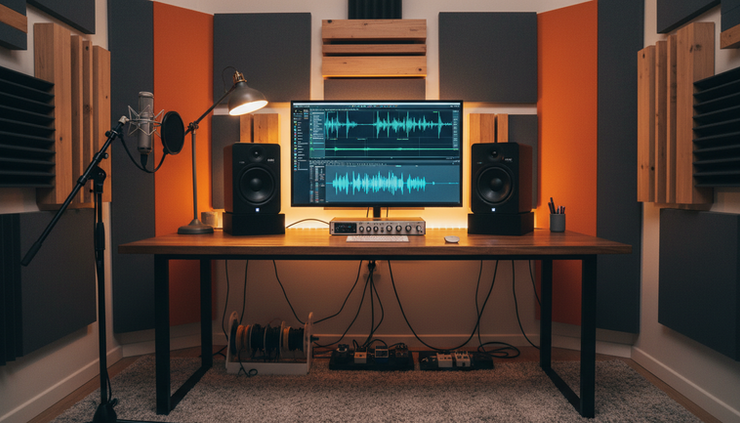
Professional audio software now has to solve harder problems
For much of the early home-recording era, audio software had a simpler job. It needed to record, cut, paste, and export. That was enough for podcasts, radio edits, field recordings, and basic music production.
Professional work now asks for much more. Digital Audio Workstations often need to handle:
Dozens or hundreds of tracks
Live monitoring with very low delay
Software instruments and effect chains
Revisions from clients, labels, film editors, and collaborators
Multiple formats for streaming, broadcast, games, and video
Session files that may need to open years later
The hardest part is that all of this must happen while sound keeps moving in real time. Audio is unforgiving. If a video frame drops, many people miss it. If audio drops, the result is usually a pop, click, gap, or timing problem.
Two concerns sit at the center of modern production.
Low delay
Delay is the short pause between when sound enters the system and when it comes back out. A singer monitoring their voice through headphones will notice even a small delay. A guitarist playing through a software amp will feel it as sluggish timing.
Reversible decisions
Professional sessions change. A producer may ask for less compression on the lead vocal. A film editor may change the scene length. A podcast client may want a different noise cleanup setting. If effects were permanently printed onto the original file, every change becomes harder.
This is where modern architecture matters. The architecture is the internal design of the application, including how it stores audio, shows edits, runs effects, and shares work between different parts of the computer.
September 2026 made DAW architecture the main story
The major architecture updates unveiled in September 2026 signaled a shift in how audio software is being built. The most meaningful changes were not cosmetic. They were about how sound moves through the program.
Several ideas stood out across the new generation of workstations and editors.
Older design pattern | Modern design pattern |
Apply an effect, then rewrite the audio file | Keep the original file and calculate the effect during playback |
Tie screen updates closely to audio playback | Let the screen and audio engine run more independently |
Treat effects as one-time edits | Treat effects as adjustable inserts on tracks |
Save projects as scattered files | Save projects with clearer internal structure and recovery paths |
Depend on one main processing path | Divide work across safer, more predictable systems |
The reason is practical. A large session is not just audio. It is also automation, folders, labels, edits, fade shapes, effect settings, meters, playback position, and file references. If every part of the program tries to update at the same time, the audio engine can become unstable.
Modern DAW design tries to protect the audio path. The part of the program that feeds sound to the speakers gets priority. Slower work, such as drawing waveforms, saving project data, or updating meters, should not interrupt it.
This is not new as a concept. High-end commercial audio tools have worked toward real-time safety for years. What changed in September 2026 is that open-source tools, especially Audacity 4, brought those ideas into a widely accessible application with a long public history.
Audacity 4 builds on a 25-year open-source history
Audacity’s importance comes from its reach. It has been used in classrooms, radio stations, podcast setups, language labs, archives, and home studios. It became popular because it was free, cross-platform, and practical. Open source means the code can be inspected, shared, and improved by the community under license terms set by the project.
The project began around 1999 and 2000, with Dominic Mazzoni and Roger Dannenberg connected to its early development at Carnegie Mellon University. Audacity 1.0 followed in the early 2000s. Over time, the program added multi-track editing, effects, analysis tools, and support for many file formats. Audacity 3.0, released in 2021, moved projects into the `.aup3` project file format, a major step away from older project storage. Audacity 3.2 later brought real-time effects into the application’s modern path.
Audacity 4 is best understood as the next structural step. Its launch was not just a new coat of paint on a familiar waveform editor. It represented a move from a mostly edit-and-apply tool toward a workstation model where the session remains live, adjustable, and safer to revise.
That shift matters because Audacity has always served a mixed audience. A university lab may need a simple recorder. A restoration engineer may need careful repair tools. A podcaster may need repeatable cleanup settings. A musician may want track inserts and real-time monitoring. A modern base can support all of these without forcing every workflow into old destructive editing habits.
A structural overhaul also helps contributors. When code is split into clearer parts, developers can improve one area without breaking another. For example, the part that manages effects can evolve separately from the part that draws waveform graphics. That separation is one reason mature audio applications can keep growing without becoming fragile.
Non-destructive real-time insert processing changes the work
Non-destructive processing means the original recording stays intact. The software stores the decisions around it. Those decisions may include trimming, fades, volume changes, and effects.
Real-time insert processing means an effect sits on a track and runs during playback. An insert is simply an effect placed in the signal path. For example, a vocal track might have:
A tone-shaping effect to reduce harshness
A level-control effect to smooth loud and quiet words
A room sound effect for space
A limiter to prevent peaks from getting too loud
In an older workflow, an engineer might apply each effect directly to the waveform. If the third effect later sounded wrong, the safest fix might require going back to an older copy of the file.
With non-destructive inserts, the settings remain editable. The engineer can turn an effect off, change its order, adjust one control, or copy the same chain to another track.
This has clear benefits.
The source recording stays clean
A raw vocal, interview, guitar take, or field recording remains available. That is useful for archives and for client work, where future revisions are common.
Mix decisions can happen in context
An effect that sounds good on a solo track may not work in the full mix. Real-time processing lets the engineer adjust while every track plays together.
Experimentation becomes safer
Trying a stronger noise reduction setting, a different tone curve, or a new room effect no longer risks damaging the original recording. The worst case is usually a setting that gets changed back.
Exports become more consistent
When the project stores the effect chain, the final export can reflect the same settings heard during playback. That reduces the gap between preview and final file.
There is a tradeoff. Real-time processing asks more from the computer’s processor. That is why modern workstations often include ways to temporarily render, freeze, or cache heavy tracks. The key point is choice. The engineer decides when to commit, not the software.
Lock-free thread decoupling helps prevent clicks and stalls
The phrase lock-free thread decoupling sounds abstract, but the idea is simple.
A thread is a stream of work inside a program. One thread may handle audio playback. Another may draw the screen. Another may save files or update meters.
A lock is a waiting point. One part of the program says, “I need this data, and no one else can touch it until I am done.” Locks can be safe for many types of software, but they are risky in real-time audio. If the audio thread waits too long, playback can glitch.
Lock-free design avoids those waiting points in the most time-sensitive path. It still coordinates data, but it uses safer handoff methods so audio can keep moving.
Thread decoupling means the program separates jobs that do not need to run together. The screen can update at its own pace. The project file can save in the background. The audio engine can keep feeding sound to the output.
A helpful analogy is a live venue. The performer should not stop singing because someone at the ticket counter is counting cash. Both jobs matter, but only one has to happen at that exact moment to keep the show alive.
Comments