Auralithic Audorama 2 0, Matari Audio BUFFR 1 0, and Klang io Transform Audio Post Production

Audio post is gaining tools that do more than clean noise and host plug-ins. The newest wave reads pictures, remembers audio before record is pressed, finds musical parts inside mixes, and protects sessions when software fails.
Three names show where the work is heading: Auralithic Audorama 2.0, Matari Audio BUFFR 1.0, and Klang.io. Each tackles a different bottleneck. Together, they point toward a faster, more visual, and more fault-tolerant production chain.

Audio post is moving from manual sync to smart assistance
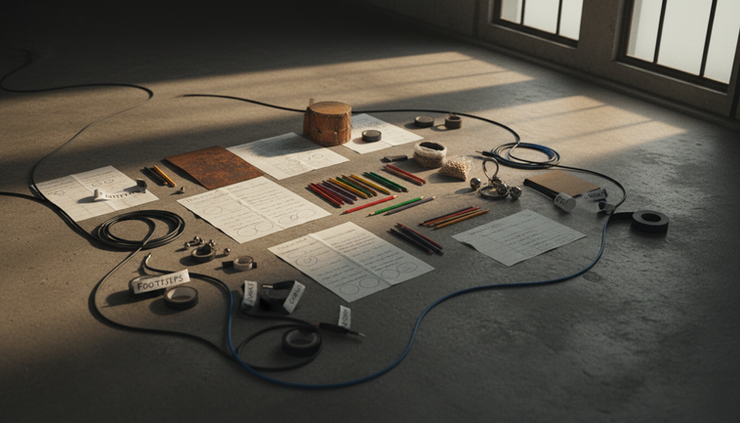
Post-production used to reward patience with repetitive work. Spot the footsteps. Mark impacts. Align ambience. Split dialogue. Ride gain. Rename regions. Export to the next system.
That work still matters. Taste still matters more. But software can now handle more of the mechanical load.
The key shift is context. Older tools mostly understood audio as amplitude, frequency, and time. Newer tools are starting to understand what the sound belongs to. A step belongs to a performer. A transient belongs to a visual action. A guitar part sits inside a full mix. A sentence can become indexed text on a phone.
That context changes the editor’s job. Less time goes into finding obvious events. More time goes into shaping intent.
This does not replace skilled editors, Foley artists, mixers, or sound designers. It gives them a better first pass. It also reduces the small friction points that add up during a long episode, feature, trailer, podcast, or music edit.
Auralithic Audorama reads the picture and spots the sound
Auralithic Audorama 2.0 stands out because it starts with video. That matters. In film and TV post, many audio events are visual before they are sonic.
A door closes. A character crosses gravel. A bag hits the floor. A runner cuts across frame. Each event needs a sound decision.
Audorama’s automated video-to-audio spotting uses computer vision to identify visual events and translate them into audio cues. Instead of scrubbing through a scene and dropping markers by hand for every obvious beat, an editor can begin with a generated spotting pass.
The gain is not just speed. A good spotting pass gives the session structure early. It helps the team see density, movement, and scene rhythm before detailed editorial begins.
Computer vision helps with the first pass
Computer vision can scan frames for motion, objects, and changes over time. In audio post, that can support tasks such as:
Finding repeated action beats across a scene
Placing cue points for Foley or sound effects
Linking movement intensity to likely sound intensity
Flagging off-screen or partially visible actions for review
Reducing missed details in crowded scenes
The editor still decides what belongs in the mix. Not every visible action needs sound. A subtle performance may need restraint. A stylized sequence may reject literal sound. But an automated pass can reveal the full set of choices faster.
That is valuable on tight schedules. It also helps when working with temp cuts, turnovers, and picture revisions. If the spotting layer can be rebuilt or compared quickly, the team can spend less time repairing the map and more time refining the soundtrack.
Performer tracking makes footsteps less painful
Footsteps are one of the hardest routine tasks in post. They look simple until there are multiple performers.
A two-person walk-and-talk can already become complex. Change shoes, surfaces, pace, body weight, camera angle, and emotional tone, and the footstep track becomes a performance of its own. Add a crowd, and manual tracking turns into a slow puzzle.
Audorama’s independent performer tracking with multi-performer footstep analysis takes direct aim at that pain point. The idea is clear: track separate performers and analyze their movement independently, instead of treating the frame as one mass of motion.
That can help editors and Foley teams sort questions early.
Which performer is moving?
When does each foot land?
Does one character stop while another continues?
Are the visible steps covered by production sound, Foley, or both?
Does the scene need literal footsteps or a designed movement texture?
For Foley, separation matters. A lead character in boots should not get buried under generic crowd taps. A nervous pace should not sound like a confident stride. Independent tracking gives the team a cleaner map for performance choices.
Final Cut Pro and Pro Tools integration keeps the chain practical
Smart spotting only helps if it fits the edit and mix chain. Audorama’s integration capabilities with Final Cut Pro and Pro Tools are important for that reason.
Final Cut Pro often sits near the picture edit. Pro Tools remains a core environment for professional audio post. Moving marker data, cue sheets, regions, or timing references between those environments can save real hours.
A practical workflow might look like this:
Picture editorial builds or updates a cut in Final Cut Pro.
Audorama analyzes the video and generates spotting data.
The audio team reviews, edits, and filters those cues.
The prepared map moves into Pro Tools for sound editorial, Foley, and mixing.
That chain reduces duplicate labor. It also gives teams a shared timing language. Picture editors, sound editors, and mixers can refer to the same scene events with less guesswork.

Matari Audio BUFFR turns capture into a safety net
If Audorama focuses on spotting and picture-aware timing, Matari Audio BUFFR 1.0 focuses on capture, correction, and survival.
The name hints at its purpose. BUFFR is built around the idea that audio work benefits from memory. Not just saved files, but a memory of what happened before the record button, before the crash, before the perfect take slipped past.
That matters in real sessions. A vocalist warms up and delivers the keeper before anyone rolls. A sound designer twists a control and finds a texture that cannot be repeated. A podcast guest says the best line while levels are still being checked. A field recordist hears the one useful sound before the app is ready.
Retrospective recording addresses that problem. It lets software hold a rolling buffer so recent audio can be recovered after the fact. For audio professionals, that changes the psychology of capture. It makes the system more forgiving without making the operator careless.
Cross-platform support reduces workflow friction
BUFFR 1.0’s cross-platform compatibility matters because audio work rarely lives on one machine type. A composer may sketch on a laptop, edit on a studio rig, and hand material to a mixer on a different platform. A sound designer may move between macOS and Windows depending on the room, client, or plug-in chain.
Cross-platform tools reduce the cost of moving ideas. They also make collaboration less fragile. If a utility only works in one narrow setup, it becomes a special case. If it works across common systems, it becomes part of the daily kit.
The best version of this kind of tool stays out of the way. It captures, recovers, and assists without forcing the whole workflow to bend around it.
Retrospective recording protects the magic before record
Retrospective recording is easy to underestimate until it saves a take.
In music production, it can rescue an improvised phrase, drum fill, synth movement, or guitar idea. In post, it can save live foley experimentation, ADR line readings, creature sound attempts, or real-time processing passes.
The benefit is not only recovery. It encourages exploration. When people know the system is listening in the background, they can experiment with fewer interruptions.
There is still a discipline to it. Buffer length, file management, privacy, and session organization all need clear habits. A rolling capture tool should not become a messy attic of unlabeled sound. Used well, it becomes a creative safety net.
Spectral Grab gives editors a faster way to isolate details
BUFFR’s Spectral Grab feature points to a broader trend in audio software: editing by visible frequency content.
Spectral editing lets an engineer identify sounds not only by where they occur in time, but by where they live in the frequency range. A chair squeak, bird chirp, fret noise, mouth click, or electrical whine can appear as a distinct shape.
A “grab” style tool can make selection faster. Instead of drawing a broad range and damaging nearby material, the editor can target a more specific component.
This is useful for:
Dialogue cleanup
Field recording repair
Music editing
Sound design extraction
Foley refinement
The goal is control. Less collateral damage. Less time auditioning the same repair. Cleaner handoff to the mix.
Dynamic gain riding helps keep attention on the mix
Gain riding is one of those tasks that sounds boring and makes a mix feel expensive. Speech needs consistency. Effects need shape. Backgrounds need to sit without choking the foreground. Music stems need movement without pumping.
BUFFR’s dynamic gain riding feature addresses that level-management work. The best use is not to flatten everything. It is to control variation so the mixer can make better creative moves.
For dialogue, it can reduce the gap between quiet phrases and loud moments before compression. For production sound, it can prepare uneven material for cleaner processing. For podcasts or long-form spoken material, it can reduce fatigue during editing.
Good gain riding still needs ears. Automation should serve the performance, not erase it.
Crash resilience is more than a comfort feature
Crash resilience rarely gets the same attention as flashy AI features. It should.
Audio professionals lose time when software crashes. They also lose trust. A crash during capture can damage a session, stall a client, or erase an unrepeatable performance. A tool that can recover state, preserve buffers, or reduce lost work has real production value.
This is where BUFFR’s design philosophy feels practical. Creative work needs reliability. The best tool is not the one with the longest feature list. It is the one that keeps the session alive when the machine, host, or plug-in chain misbehaves.

Klang.io brings transcription and source separation closer to the session
Klang.io enters the picture from another direction. Its strengths include mobile transcription and AI instrument decomposition.
Both are part of a larger shift. Audio tools are becoming more portable and more semantic. They do not only display sound. They identify speech, separate sources, and turn recordings into searchable working material.
Mobile transcription makes audio searchable sooner
Transcription used to arrive late. Record first, send files later, wait for text, then review. Mobile transcription shortens that loop.
For interviews, podcasts, documentary work, lectures, rehearsals, and field notes, fast transcription can change how material gets handled. A producer can search for a phrase shortly after capture. An editor can mark useful sections before returning to the studio. A musician can keep lyric ideas tied to the source recording.
Mobile access matters because much capture happens away from a tuned room. Phones are already used for notes, scratch recordings, reference clips, and quick approvals. If transcription lives there too, audio becomes easier to browse before it enters the full post chain.
Accuracy still depends on source quality, speaker overlap, accents, noise, and the transcription model. Text should be checked before publication. But even imperfect text can speed logging and rough organization.
AI instrument decomposition opens new edit options
AI instrument decomposition, often called source separation, tries to split a mixed recording into musical components. Common targets include vocals, drums, bass, and other instruments.
This has obvious value for music work. It can help with remixing, practice tracks, stem creation, restoration, and arrangement study. It can also help post-production teams when music and dialogue are baked together in a reference, temp track, archive clip, or user-generated source.
The key is expectation. AI-separated stems are not the same as original multitracks. Artifacts can appear. Cymbals may smear. Reverb can confuse the boundary between sources. Dense mixes remain hard.
Even with those limits, decomposition can be useful. It gives editors options when no better material exists. It can help isolate a vocal guide, reduce a music bed, study rhythmic elements, or build a cleaner temp.
For enthusiasts, it makes learning easier. Pulling apart a song can reveal how parts interact. For professionals, it becomes another repair and prep tool, not a substitute for proper stems.
These tools solve different parts of the same problem
The common thread is time under pressure. Audio teams need more context, better recovery, and faster access to what is inside a recording.
Tool | Main focus | Practical value |
Auralithic Audorama | Picture-aware spotting and performer tracking | Faster cue creation, stronger Foley maps, smoother handoff to Pro Tools |
Matari Audio BUFFR | Capture safety, spectral editing, gain support | Fewer lost moments, faster repair, better session resilience |
Klang.io | Transcription and AI decomposition | Searchable speech, faster logging, useful source separation |
The tools also complement each other.
A film team could use Audorama to build a footstep and action map from picture. BUFFR could capture Foley experiments and protect spontaneous sound design passes. Klang.io could transcribe production interviews or split reference music for temp work.
A podcast team might care less about performer tracking but value BUFFR’s retrospective recording and Klang.io’s mobile transcription. A music producer might use BUFFR for capture safety and Klang.io for instrument separation, while only needing Audorama when scoring or syncing to picture.
The point is not to adopt everything. The point is to identify the weak link in the workflow.
What to watch before adding these tools to a workflow
New audio software can save time. It can also create clutter if added without rules.
Before adopting any tool in a professional chain, test it against real sessions. Use messy material, not only clean demos.
Check these areas:
Export behavior
Markers, timecode, regions, and metadata need to survive the trip into the next tool.
Session recall
A result is only useful if it can be reopened, revised, and explained later.
Audio quality
Spectral edits, source separation, and gain riding should be checked against artifacts.
Control
Automation needs override options. Editors must be able to accept, reject, rename, and reshape results.
Reliability
Crash recovery and file handling matter as much as detection quality.
Team fit
A tool should match the way picture editorial, sound editorial, Foley, and mixing already exchange material.
The best tests are simple. Take a recent session that caused pain. Run the new tool on that. Measure whether it saves work without creating new cleanup.
FAQ
Does automated spotting replace a sound editor?
No. It gives the editor a faster starting point. The editor still decides what should be heard, what should stay silent, and how each sound supports the scene.
Why is multi-performer footstep analysis useful?
It separates movement by performer. That helps Foley and editorial teams avoid generic footstep beds when a scene needs character-specific timing, weight, and surface detail.
What makes retrospective recording valuable?
It can recover audio that happened before recording was manually started. That helps capture unexpected takes, live experiments, and one-time moments that would otherwise be lost.
Can AI instrument decomposition replace original stems?
No. Original stems are still cleaner and more flexible. AI decomposition is useful when stems are missing, when preparing temp material, or when studying parts inside a mix.
Is mobile transcription accurate enough for final work?
It can be good enough for logging, searching, and rough edits. Final transcripts should be reviewed, especially when the recording has noise, overlapping speech, or specialized terms.
The practical takeaway
These tools point to a smarter post-production chain.
Auralithic Audorama brings picture analysis into spotting and Foley prep. Matari Audio BUFFR adds capture memory, spectral control, gain help, and crash resilience. Klang.io makes speech and music easier to search, split, and understand from mobile and AI-assisted workflows.
The best result is not full automation. It is better preparation. Let software find the obvious events, recover the missed moments, and separate the rough parts. Then use human judgment to make the soundtrack feel intentional.
Comments